ItemsControl
The ItemsControl is the basis for controls that display repeating data (like the list box for example). It has no built-in formatting or interactions; but you can use it with data binding, styling and data templates to create a completely custom repeating data control.
To see the full list of Avalonia UI built-in repeating data controls, see here.
Useful Properties
You will probably use these properties most often:
| Property | Description |
|---|---|
ItemsSource | The bound collection that is used as the data source for the control. |
ItemsControl.ItemTemplate | The item template, contains a DataTemplate which will be applied to individual items and can be used to change how items look. |
ItemsControl.ItemsPanel | The container panel to place items in. By default, this is a StackPanel. See this page to customise the ItemsPanel. |
ItemsControl.Styles | The style that is applied to any child element of the ItemControl. |
Example
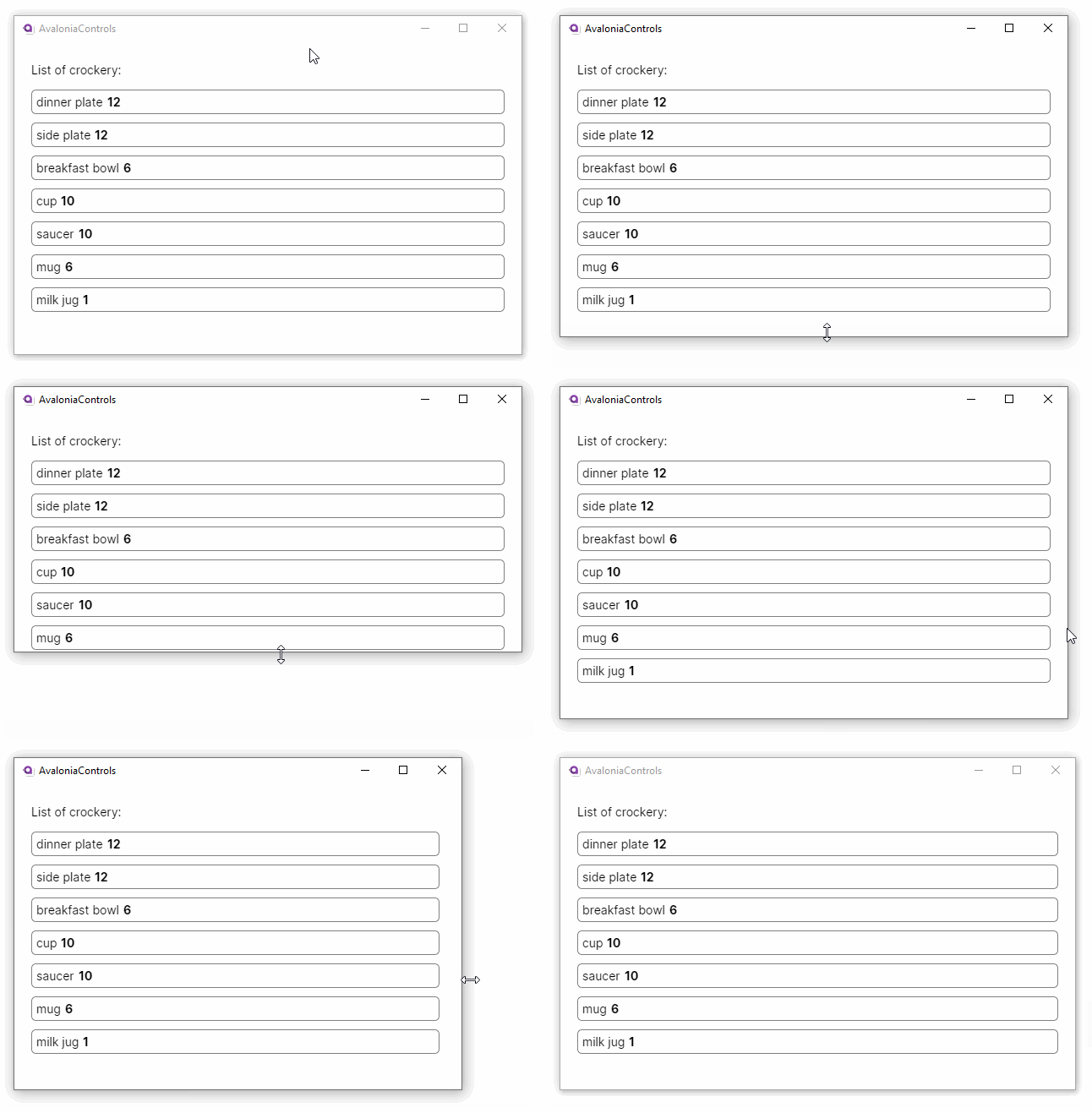
This example binds an observable collection of crockery items to an items control, where some custom layout and formatting is provided by a data template:
<StackPanel Margin="20">
  <TextBlock Margin="0 5">List of crockery:</TextBlock>
  <ItemsControl ItemsSource="{Binding CrockeryList}" >
    <ItemsControl.ItemTemplate>
    <DataTemplate>
      <Border Margin="0,10,0,0"
          CornerRadius="5"
          BorderBrush="Gray" BorderThickness="1"
          Padding="5">
        <StackPanel Orientation="Horizontal">
          <TextBlock Text="{Binding Title}"/>
          <TextBlock Margin="5 0" FontWeight="Bold"
                      Text="{Binding Number}"/>
        </StackPanel>
      </Border>
    </DataTemplate>
    </ItemsControl.ItemTemplate>
    </ItemsControl>
</StackPanel>
using AvaloniaControls.Models;
using System.Collections.Generic;
using System.Collections.ObjectModel;

namespace AvaloniaControls.ViewModels
{
    public class MainWindowViewModel : ViewModelBase
    {
        public ObservableCollection<Crockery> CrockeryList { get; set; }

        public MainWindowViewModel()
        {
            CrockeryList = new ObservableCollection<Crockery>(new List<Crockery>
            {
                new Crockery("dinner plate", 12),
                new Crockery("side plate", 12),
                new Crockery("breakfast bowl", 6),
                new Crockery("cup", 10),
                new Crockery("saucer", 10),
                new Crockery("mug", 6),
                new Crockery("milk jug", 1)
            });
        }
    }
}
public class Crockery
{
    public string Title { get; set; }
    public int Number{ get; set; }

    public Crockery(string title, int number)
    {
        Title = title;
        Number = number;
    }
}
The view resizes horizontally, but content is hidden when it is too high. This control does not have a built-in scrollbar (unlike ListBox).
More Information
For the complete ItemsControl API documentation, see here.
View the source code on GitHub ItemsControl.cs